WiFi Heatmap
Planning & Survey

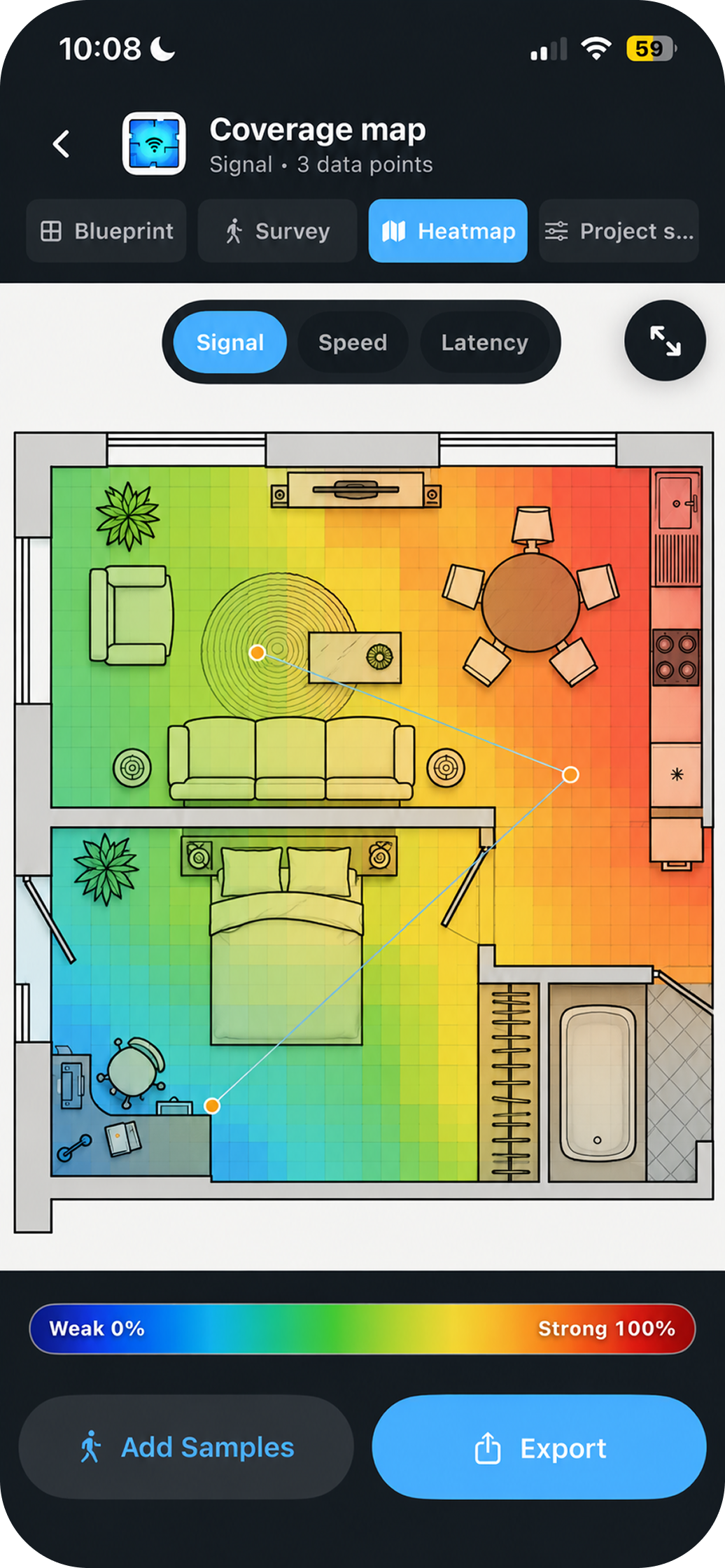
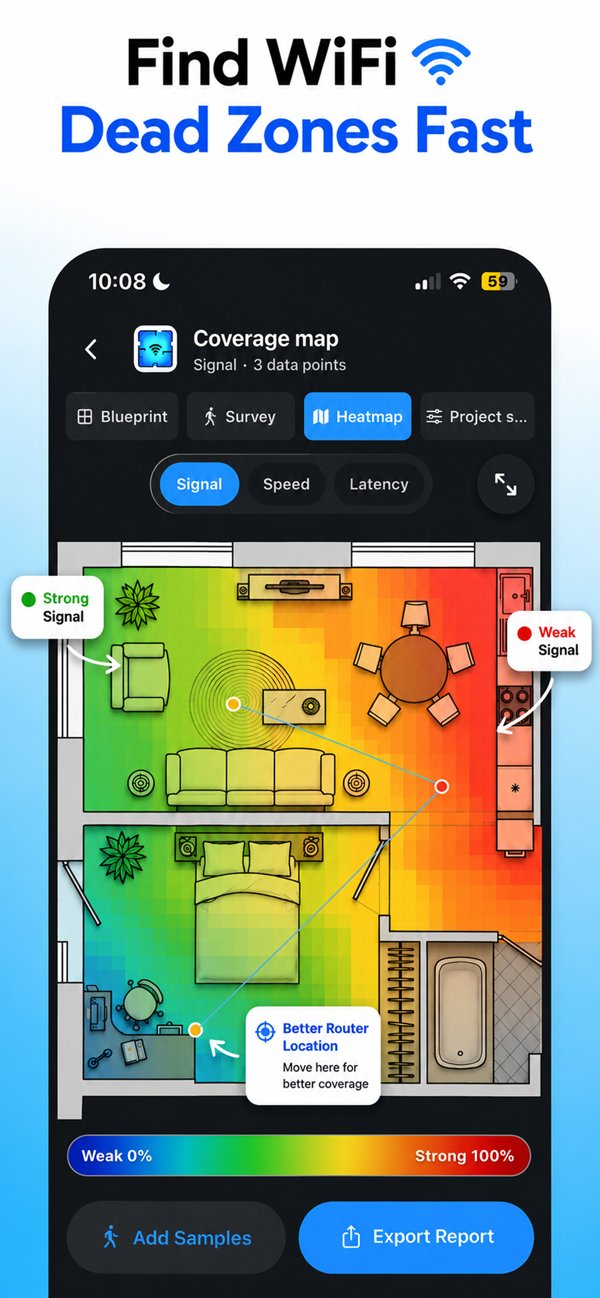
Draw your floor plan, walk each room collecting signal measurements, and HeatFi generates a vivid WiFi heatmap — so you know exactly where your dead zones are and how to fix them.

Available for
iOS Android
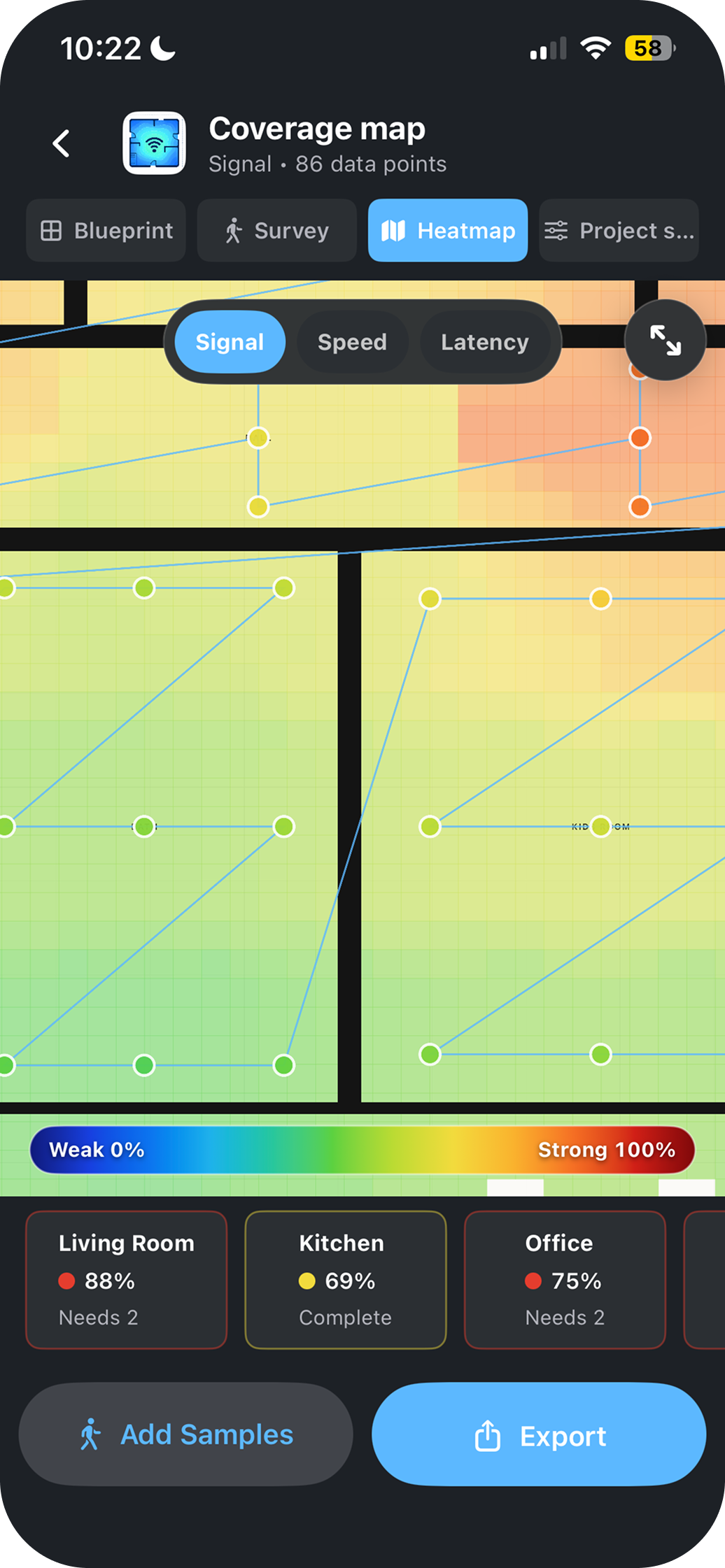
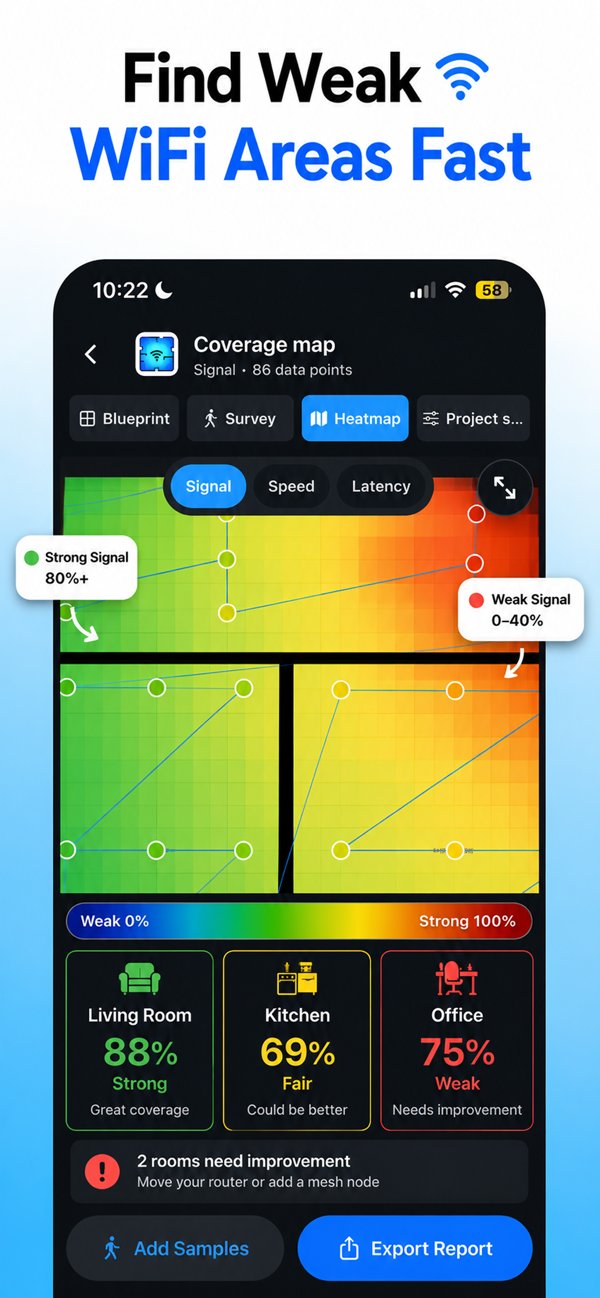
86 data points collected this session
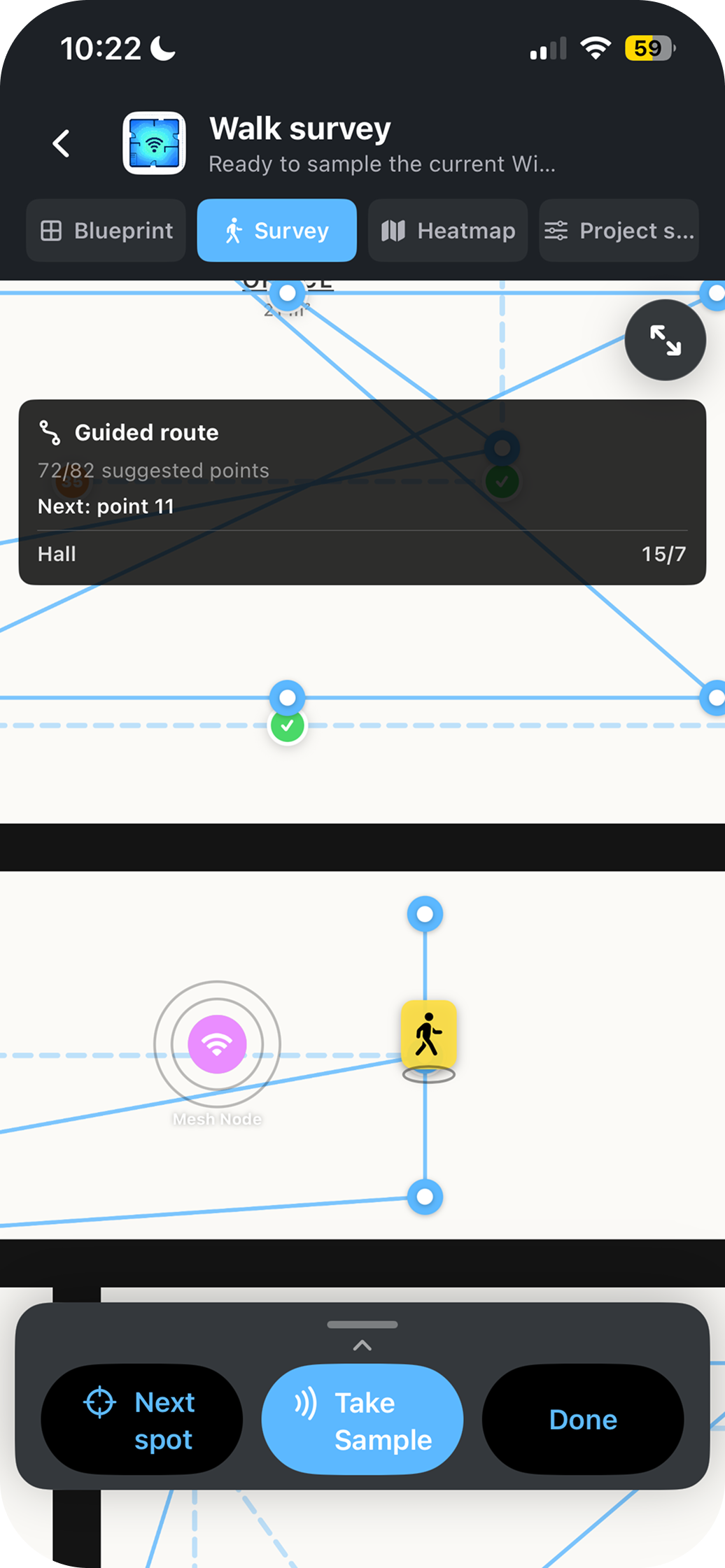
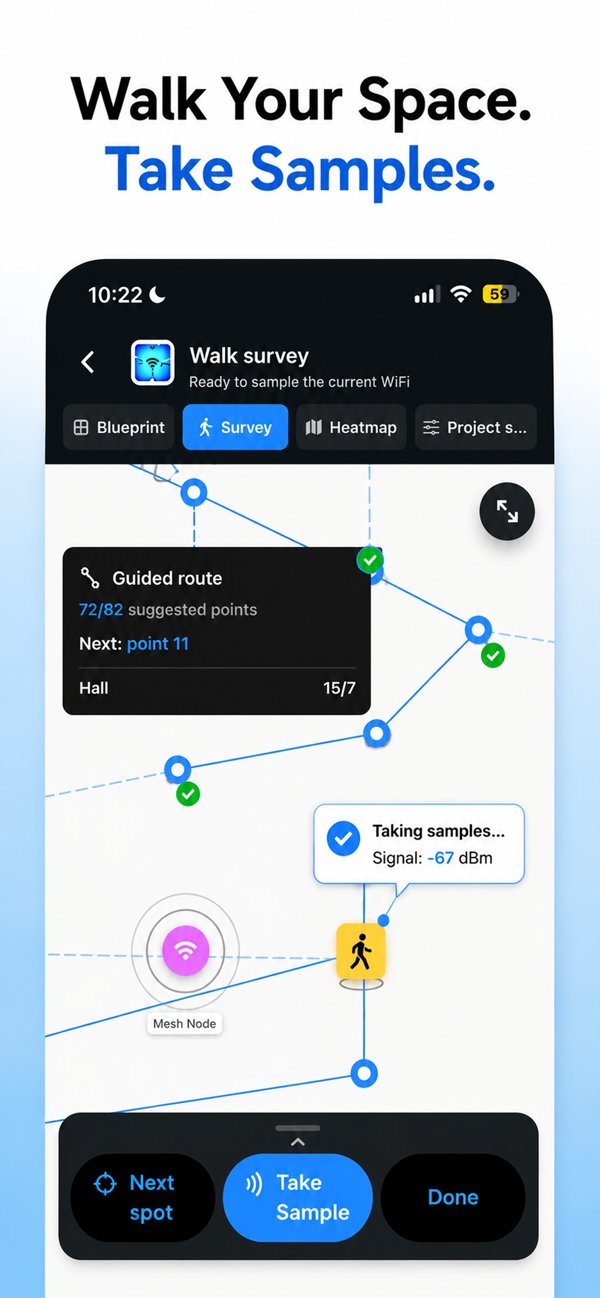
Walk survey mode
Walk Survey
WiFi heatmap coverage map
Coverage Map
Room-by-room signal stats
Room Stats
Heatmap ready Export as PDF or PNG
How it works

Three steps to total WiFi clarity

No networking degree required. HeatFi guides you through the whole process in under 10 minutes.

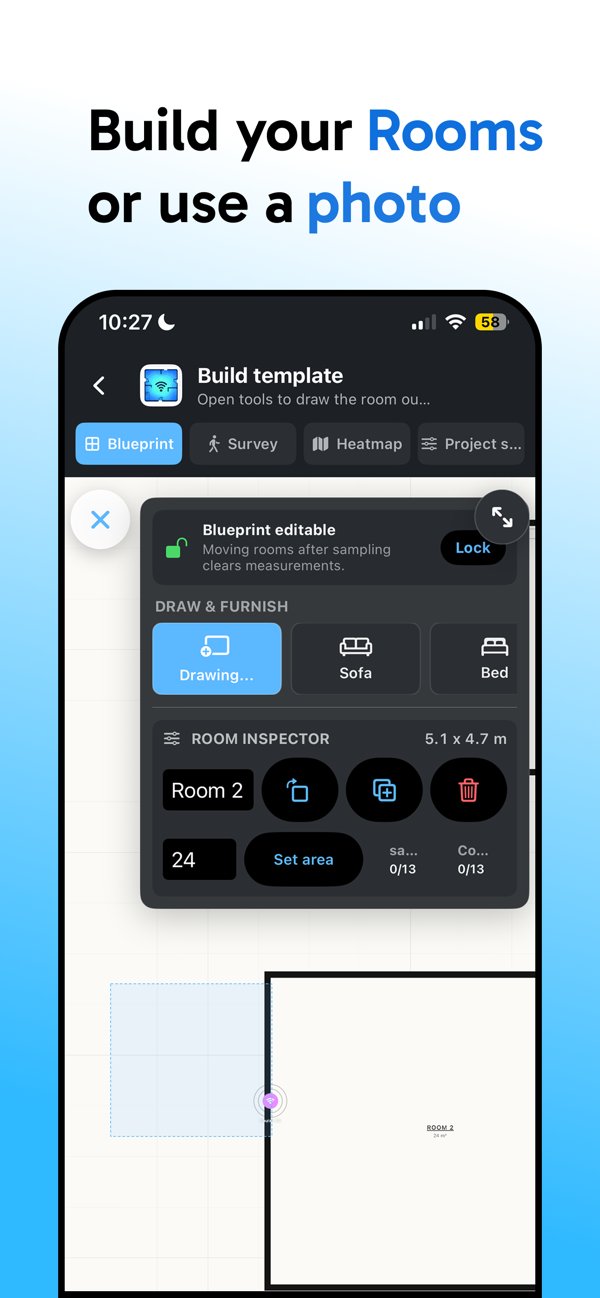
HeatFi floor plan Draw or import your plan
Step 01

Draw or upload your floor plan

Sketch your layout freehand inside the app, import an image of your blueprint, or snap a photo of a printed plan. HeatFi scales and aligns it automatically so you're ready to survey in seconds.

HeatFi walk survey mode
Step 02

Walk your home & collect measurements

HeatFi's guided route tells you exactly where to walk next. Move through each room and tap "Take Sample" — the app reads your device's WiFi signal in real time and pins each reading to the map.

HeatFi heatmap with room signal stats
Step 03

Get your heatmap — instantly

HeatFi interpolates your data and renders a colour-coded heatmap with per-room signal scores. Red is strong, blue is a dead zone. See exactly where to move your router, add a mesh node, or call your ISP.

30s
Average setup time
±2 dB
Measurement accuracy
Any
Floor plan format accepted
100%
Offline — data stays on your device

Ready to find your dead zones?

Join the early access list and be the first to try HeatFi when we launch.

No spam. Unsubscribe anytime.